

Placing a coin on your router to boost WiFi signal is a popular myth, but physics says it doesn't work. The idea that a metal coin can amplify WiFi seems plausible because antennas are metal, but the reality is more complex.
Many households struggle with poor WiFi coverage, so it's no wonder that quick fixes like this go viral. However, understanding why it fails can help you find real solutions.
Find Original Home Decor sparking conversation at Grand Goldman Shop.

Why the Coin on Router WiFi Boost Myth Persists
The trick combines easy execution with a kernel of scientific truth: metals do interact with electromagnetic waves. But that doesn't mean a loose coin can enhance your signal.

WiFi problems are common, and people are eager for simple solutions. The myth exploits this desire, but it's important to separate fact from fiction.
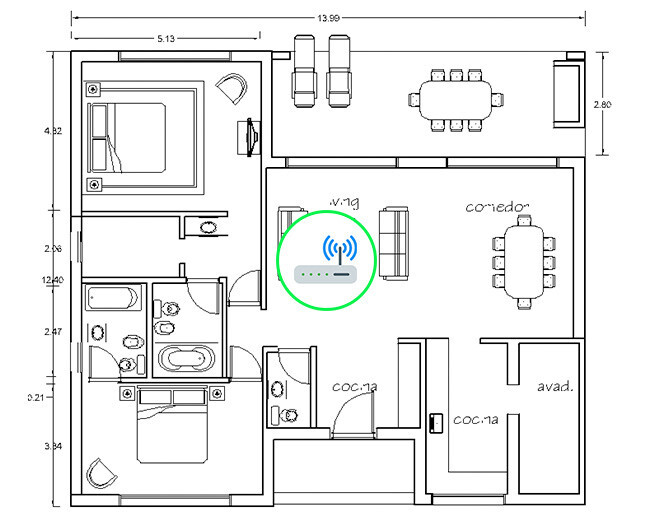
The Supposed Logic Behind the Trick
Proponents argue that since antennas are metal, adding more metal (the coin) should increase signal strength. This oversimplifies how antennas work.
In reality, an antenna must be connected to the transmitting circuit to radiate or receive signals effectively. A coin sitting on top of the router is not connected.
The Physics: Why a Coin Doesn't Amplify WiFi
For a metal object to act as an antenna, it must be part of the electrical circuit. The coin is separated from the router's internal components by air and a plastic casing.
Therefore, it has no effect on the signal. It's as useful as leaving the coin next to the router.
No Connection, No Amplification
Antennas work by converting electrical signals into electromagnetic waves and vice versa. This requires a direct connection to the radio circuitry.
A coin placed on the router is not connected, so it cannot participate in this process. It neither amplifies nor extends the signal.
Potential Harm: The Faraday Cage Effect
While a single coin won't worsen your WiFi, placing metal objects around the router can block signals. This is known as the Faraday cage effect.
Surrounding a router with metal can create a barrier that blocks electromagnetic waves, reducing coverage. So, the myth not only fails to help but could inspire harmful practices.
Why You Shouldn't Wrap Your Router in Metal
Some people might think that adding more metal (like aluminum foil) could further boost the signal. In fact, it does the opposite.
Metal enclosures can shield the router, preventing signals from escaping. This is why routers are typically made of plastic.
What Actually Improves WiFi Signal
Instead of relying on myths, focus on proven methods to enhance your WiFi. Here are key takeaways:
- Router placement: Place your router centrally and elevated, away from walls and metal objects.
- Update firmware: Keep your router's firmware up to date for optimal performance.
- Use a mesh system: For large homes, a mesh network can eliminate dead zones.
- Reduce interference: Avoid cordless phones and microwaves near the router.
- Consider a WiFi extender: If coverage is still poor, an extender can help.
Comparison of WiFi Enhancement Methods
Here's how different approaches compare in effectiveness:
| Method | Effectiveness | Cost | Ease of Implementation |
|---|---|---|---|
| Coin on router | None | Low | Very easy |
| Router repositioning | Moderate to high | Free | Easy |
| Firmware update | Low to moderate | Free | Moderate |
| Mesh system | High | High | Moderate |
| WiFi extender | Moderate | Low to moderate | Easy |
Real Solutions for Better WiFi
If you're experiencing WiFi issues, start by assessing your router's location. Central placement and height can significantly improve coverage.
Also, check for interference from other devices. Simple changes can make a big difference.
When to Upgrade Your Router
If your router is several years old, it may not support the latest WiFi standards. Upgrading to a newer model can provide better speed and range.
Consider a router with multiple antennas and MU-MIMO technology for improved performance.
FAQ
Does putting a coin on the router really boost WiFi signal?
No, it does not. A coin is not connected to the router's circuitry, so it cannot amplify or extend the WiFi signal. Any perceived improvement is likely due to other factors or placebo.
Can metal objects near the router affect WiFi performance?
Yes, metal objects can interfere with WiFi signals. Large metal objects or enclosures can block or reflect signals, potentially reducing coverage. It's best to keep the router away from metal.
What is the Faraday cage effect and how does it relate to routers?
The Faraday cage effect occurs when a conductive enclosure blocks electromagnetic fields. If a router is surrounded by metal, it can prevent signals from escaping, reducing WiFi coverage.
What are the best ways to improve WiFi signal at home?
Optimal router placement, firmware updates, using a mesh system, and reducing interference are effective methods. Upgrading to a newer router with advanced technology can also help.
For those concerned about router security, a recent flaw in Broadcom WiFi chips affected Movistar and Orange routers. You can read more about the Broadcom WiFi chip flaw and what it means for your network.
Understanding the science behind WiFi can save you from falling for myths. Instead of coins, invest in proper networking equipment and placement.
If you're setting up a home office, reliable WiFi is crucial. The Broadcom WiFi chip flaw highlights the importance of secure and efficient routers.
Stay informed about potential vulnerabilities. The Broadcom WiFi chip flaw is a reminder to keep your router updated.
Don't let myths distract you from real solutions. The Broadcom WiFi chip flaw incident shows that router security is as important as signal strength.
For a deeper dive into router issues, check out the Broadcom WiFi chip flaw article.
Remember, a coin on your router won't boost WiFi, but staying informed about vulnerabilities like the Broadcom WiFi chip flaw can help you maintain a reliable network.
Browse the Shop
 Acacia frida deluxe solid wood bed frame |
Bedroom bench |
Bed chest drawers |
Lingerie dresser |
Frame base |
Mirror with jewelry storage |
30 Bathroom Vanity |
Memory foam queen mattress |
Mattresses for back pain |
Nightstand set of 2 |
Grand Goldman Shop |
Civil Lawyer
Deutschland Trikot WM 2026







