

The new Amazon Kindle lineup, including the Kindle, Kindle Paperwhite, and Kindle Colorsoft, brings notable upgrades like flush screens and user-replaceable batteries. But are these changes enough to justify buying the latest models, or should you consider the previous generation at a discount? We break down the differences to help you decide.
What’s New in the Latest Kindle Models?
Amazon’s latest refresh introduces three models: the base Kindle, the Kindle Paperwhite, and the Kindle Colorsoft. All feature a flush-to-frame display, which gives them a more premium look and feel. The base Kindle now has a 6-inch screen with 300 ppi, matching the Paperwhite’s sharpness, and it’s lighter and thinner than before.
Find Original, High-end Home Decor that spark conversation at Grand Goldman Shop.
Another key change is the user-replaceable battery, a response to European regulations pushing for more sustainable devices. This means you can extend the life of your e-reader by swapping the battery yourself, rather than replacing the entire device.
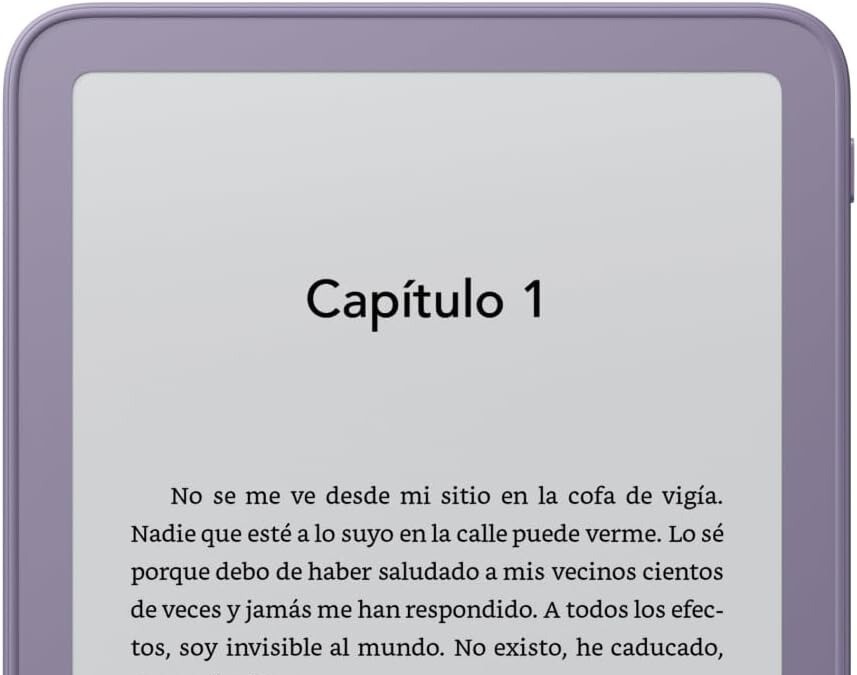
Kindle (Base Model): New vs Old
The entry-level Kindle has received the most significant update. The new model starts at €154.99 with ads and 16 GB of storage. It retains the 6-inch, 300 ppi display but now has a flush front, making it easier to clean and more modern. The power button has moved to the top right, and the device is lighter and thinner.

Compared to the previous generation, which had a recessed screen and a lower-resolution display (167 ppi), the new Kindle offers a sharper reading experience and a more premium design. If you’re coming from an older base Kindle, the upgrade is noticeable.
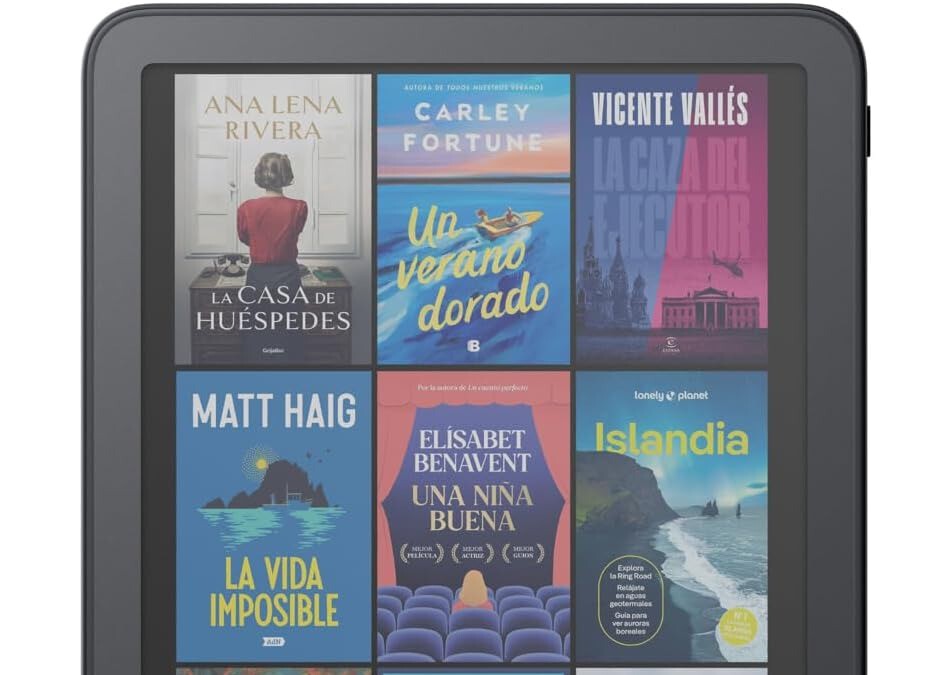
Kindle Paperwhite: Incremental Improvements
The Kindle Paperwhite (2024) features a 7-inch display with 300 ppi, an adjustable warm light, and waterproofing (IPX8). The new model adds a flush screen and a user-replaceable battery, but otherwise, the specs are similar to the previous generation.

If you already own the 2021 Paperwhite, the differences are minimal. The new model is slightly lighter and has a larger screen (7 inches vs 6.8 inches), but the reading experience remains largely the same. The main draw is the replaceable battery, which could extend the device’s lifespan.
Kindle Colorsoft: A New Color Option
The Kindle Colorsoft is Amazon’s first e-reader with a color display, aimed at readers who enjoy comics, magazines, or illustrated books. It features a 7-inch screen with 300 ppi for black-and-white content and 150 ppi for color. It also has the flush screen and replaceable battery.
However, the Colorsoft is priced at a premium (around €279.99), and color e-ink technology is still in its early stages. The color display is limited to 4,096 colors and may appear muted compared to LCD or OLED screens. If you primarily read text, the Paperwhite is a better value.
Key Takeaways
- Flush screens on all new models provide a more modern look and easier cleaning.
- User-replaceable batteries extend device lifespan and align with sustainability trends.
- Base Kindle gets the biggest upgrade with a 300 ppi display and lighter design.
- Paperwhite changes are incremental; previous generation remains a solid choice.
- Colorsoft introduces color but at a high price and with limited color performance.
Specs Comparison: New vs Previous Generation
| Feature | New Kindle (2024) | Previous Kindle (2022) | New Paperwhite (2024) | Previous Paperwhite (2021) |
|---|---|---|---|---|
| Display | 6" 300 ppi, flush | 6" 167 ppi, recessed | 7" 300 ppi, flush | 6.8" 300 ppi, recessed |
| Battery | User-replaceable | Not replaceable | User-replaceable | Not replaceable |
| Storage | 16 GB | 16 GB | 16 GB | 8/16 GB |
| Waterproof | No | No | IPX8 | IPX8 |
| Price | From €154.99 | ~€120 (discounted) | From €199.99 | ~€150 (discounted) |
Should You Upgrade?
If you own a previous-generation Kindle that still works well, upgrading is not essential unless you specifically want a flush screen or a replaceable battery. The reading experience on the older models remains excellent, especially the Paperwhite (2021), which has a sharp display and waterproofing. The background to this story is set out in Kindle Paperwhite 2026 vs 2024: What Changes and What Stays the Same. A related thread runs through Documentero Review: Document Automation & Generation (Worth It or Not?). Earlier coverage in Luxury Toothpaste: Is £20 a Tube Worth It? shows how the argument developed.
However, if you’re buying your first e-reader or upgrading from a very old model (like a Kindle 4 or Paperwhite 2), the new lineup offers meaningful improvements. The base Kindle is now a compelling option with its 300 ppi screen, and the Paperwhite remains the best all-rounder. A closer look at the same subject appears in Trending: latest articles. Anyone following the wider picture can start with X2 Roller Coaster Closed After Brain Injury Reports. The same theme surfaces in US Soldiers Collected Japanese Skulls in World War II, which takes a different angle.
Keep an eye out for discounts on the previous generation. Retailers often clear stock when new models launch, making the older Kindle or Paperwhite a great value. For example, the 2021 Paperwhite frequently drops below €120 during sales. Context on how this played out before sits in Comic-Con Málaga 2026: Water Policy Chaos and What to Expect. A companion piece, New Kindle Now Available from €154.99; Previous Model Drops to €89.90, approaches the same subject from another angle.
FAQ
Is the new Kindle worth it over the previous generation?
It depends on your needs. If you want a sharper display and a flush screen, the new base Kindle is a significant upgrade. But if you already own a recent Kindle, the improvements may not justify the cost.
Can I replace the battery on the new Kindle myself?
Yes, the new Kindle, Paperwhite, and Colorsoft have user-replaceable batteries. This is a response to EU regulations and allows you to extend the device’s life.
Does the Kindle Colorsoft have a good color display?
The Colorsoft uses E Ink Kaleido 3 technology, which displays 4,096 colors. It’s suitable for comics and illustrated books, but colors appear muted compared to tablets. It’s a niche product for now.
Should I wait for a discount on the previous generation?
Yes, if you’re budget-conscious. The previous generation Kindle and Paperwhite are still excellent devices and often see price cuts when new models launch. Unless you need the latest features, you can save money by buying the older model.
Browse the Shop
 Acacia frida deluxe solid wood bed frame |
Bedroom bench |
Bed chest drawers |
Lingerie dresser |
Frame base |
Mirror with jewelry storage |
30 Bathroom Vanity |
Memory foam queen mattress |
Mattresses for back pain |
Nightstand set of 2 |
Grand Goldman Shop |
Civil Lawyer
Deutschland Trikot WM 2026
Acacia frida deluxe solid wood bed frame |
Bedroom bench |
Bed chest drawers |
Lingerie dresser |
Frame base |
Mirror with jewelry storage |
30 Bathroom Vanity |
Memory foam queen mattress |
Mattresses for back pain |
Nightstand set of 2 |
Grand Goldman Shop |
Civil Lawyer
Deutschland Trikot WM 2026










